How to Use an Easter Background Mockup to Elevate Your Design Presentations
Whether you're a graphic designer, brand owner, or content creator, showcasing your work effectively is crucial. One powerful tool that can help you achieve this is the Easter Background Mockup. These mockups are specifically designed to give your artwork and brand designs a professional and eye-catching presentation across various media formats. From social media posts to printed invitations, they offer a flexible and user-friendly way to present your creations in the best possible light.
What Is an Easter Background Mockup?
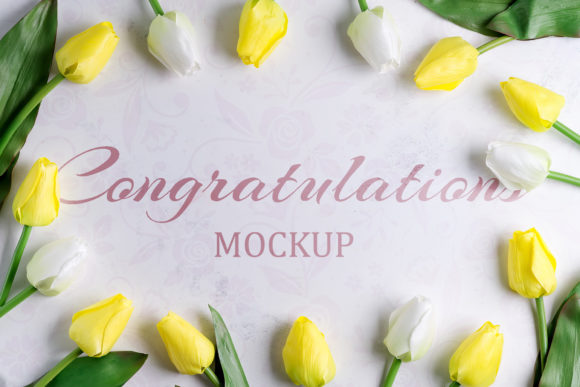
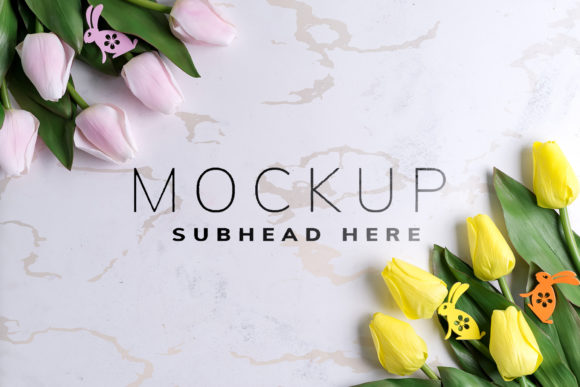
An Easter Background Mockup is a pre-designed Photoshop file that includes realistic scenes where your artwork can be displayed as if it were part of a real product or environment. It's ideal for creating visuals that show how your design would look on items like postcards, business websites, Instagram banners, Facebook covers, and more. The key feature of these mockups is their use of smart layers, which allow you to easily insert your own graphics without having to manually edit complex images.
Key Features of an Easter Background Mockup
- Smart Object Integration: Each mockup contains smart objects that act as placeholders for your design. This means you can simply drag and drop your artwork into the designated area and watch it come to life within the scene.
- Safety Zone Lines: To ensure your design fits perfectly, the mockup includes safety zone lines. These are visual guides that help you avoid placing important elements too close to the edges where they might get cut off during printing or resizing.
- Versatile Layouts: You'll find multiple layout options in one file, allowing you to test different compositions and see how your design performs in various contexts.
- Realistic Environment: These mockups are based on high-quality photographs rather than 3D renderings or vector art. They provide a lifelike background that helps your design stand out with natural lighting and textures.
Why Use an Easter Background Mockup?
Mockups are not just for decoration—they serve a practical purpose in modern design workflows. Here’s why using an Easter Background Mockup could be beneficial for your next project:
- Professional Presentation: A well-placed design in a realistic setting looks far more professional than a flat image. When you place your logo or artwork onto an Easter-themed mockup, it gives clients or customers a clear idea of how it will appear in real-world applications.
- Time Efficiency: With smart layers already set up, there's no need to restructure the entire Photoshop file every time you want to showcase a new design. Simply replace the smart object and you're good to go.
- Consistency Across Platforms: Whether you're preparing content for digital platforms like Instagram and Facebook or designing print materials such as cards and invitations, an Easter Background Mockup ensures your brand maintains a consistent look and feel.
- Client Approval Made Easy: Clients often struggle to visualize how a design will look once applied. By using a mockup, you can quickly generate a realistic preview, making the approval process smoother and faster.
Perfect for Branding and Marketing Campaigns
The Easter Background Mockup is especially valuable when planning seasonal marketing campaigns. Easter is a popular time for businesses to refresh their branding, promote events, or launch limited-edition products. With the right mockup, you can create compelling visuals that align with the festive spirit while maintaining your brand identity.
For example, you could use the mockup to design an Easter-themed banner for your website or a promotional post card for a spring sale. The ability to reuse the same scene across different formats makes it easier to maintain a cohesive campaign message.
Getting Started with the Mockup
If you're new to using mockups, the Easter Background Mockup is a great starting point thanks to its intuitive structure. Here's a simple step-by-step guide to help you begin:
- Open the Photoshop file included in the mockup set.
- Locate the smart layer (usually labeled clearly) that corresponds to the item or space you want to customize.
- Double-click the smart object to open it in a new window.
- Delete the placeholder image and paste your own design into the smart object.
- Save the smart object and return to the main file. You should now see your design seamlessly integrated into the scene.
- Repeat this process for any additional layouts or variations included in the file.
This streamlined workflow allows you to focus more on creativity and less on technical setup. As long as you have a basic understanding of Photoshop, you should be able to navigate the file without difficulty.
Tips for Customizing Your Mockup
- Match Color Schemes: Since the background or design color does not change automatically, make sure your artwork complements the existing palette of the mockup. This will enhance the overall aesthetic appeal.
- Use High-Resolution Graphics: Low-quality images may appear pixelated when placed into a high-resolution mockup. Always use crisp, clear designs for the best results.
- Experiment with Placement: Take advantage of the multiple layout options to experiment with different placements and angles. Sometimes subtle shifts can dramatically improve the composition.
Real-World Applications of the Easter Background Mockup
Let’s explore some common scenarios where the Easter Background Mockup can add value to your projects:
1. Social Media Content Creation
With platforms like Instagram and Facebook prioritizing visually engaging content, the Easter Background Mockup is a must-have. You can create themed posts for your page or profile, such as Easter greetings, promotions, or event announcements. For instance, imagine showcasing a new line of Easter-themed merchandise against a beautifully styled backdrop—this helps build anticipation and encourages interaction from your audience.
2. Website and Blog Design
Many businesses update their websites and blogs during the Easter season to reflect the holidays and attract seasonal traffic. The mockup provides a ready-made solution for creating header images, landing pages, or blog post thumbnails that are both appealing and on-brand. Because all the changes happen in a single Photoshop file, it's easy to maintain a consistent look throughout your site.
3. Print Materials
From postcards to invitations, print materials remain an effective way to connect with your audience. Using an Easter Background Mockup allows you to preview how your design will look when printed. This is particularly useful when designing for physical products since you can spot potential issues with scaling or positioning before finalizing your layout.
4. Portfolio Showcases
If you're a freelance designer or creative professional, including mockups in your portfolio can significantly boost your credibility. Instead of showing only flat designs, use the Easter Background Mockup to demonstrate how your work translates into real-life applications. This can make your portfolio more dynamic and persuasive.
Considerations Before Choosing an Easter Background Mockup
Before downloading and using the Easter Background Mockup, consider the following factors to ensure it meets your needs:
- Photoshop Knowledge: While the mockup is beginner-friendly, a minimum level of Photoshop proficiency is required. If you’re unfamiliar with smart objects, take some time to learn the basics first.
- Design Intent: Ask yourself what you want to showcase. Is it a logo? A poster? A web banner? Make sure the mockup supports the type of design you plan to use.
- Quality of the File: Check the resolution and clarity of the mockup to ensure it meets your output requirements, whether for digital or print use.
- Customization Flexibility: Some mockups allow more flexibility than others. Look for one that offers enough customization to suit your specific needs but isn’t overly complicated to manage.
When Not to Use an Easter Background Mockup
While mockups are incredibly useful, they aren’t always the best choice. For example, if you're working on a design that requires frequent adjustments or if you're under tight deadlines, a simpler method might be more efficient. Additionally, if your target audience prefers minimalistic or abstract visuals, an Easter-themed mockup might not align with your desired style.
Maximizing the Value of Your Mockup Set
To get the most out of your Easter Background Mockup, think strategically about how you apply it. Here are a few recommendations:
- Create Multiple Versions: Use the different layouts to create several versions of your design. This can be helpful for A/B testing or for tailoring content to different audiences.
- Plan Ahead: If you're working on a seasonal campaign, start using the mockup early to allow time for revisions and to stay ahead of the competition.
- Combine with Other Assets: Don't hesitate to pair the mockup with other Easter-related assets like icons, fonts, or patterns to create a fully immersive visual experience.
Case Study: Small Business Spring Launch
A local bakery used the Easter Background Mockup to design a series of promotional materials for their spring menu. They created Instagram stories, Facebook ads, and printable postcards using the same base mockup. This not only saved them time but also helped reinforce their brand identity across all channels. Customers responded positively to the cohesive theme, leading to increased engagement and sales during the Easter period.
Final Thoughts on the Easter Background Mockup
The Easter Background Mockup is more than just a decorative tool—it's a strategic asset for designers and marketers looking to elevate their visual storytelling. By leveraging its smart layers and realistic settings, you can produce high-quality presentations that resonate with your audience and support your business goals. Whether you're launching a new product, updating your branding, or simply sharing your latest design, this mockup gives you the tools to do it professionally and efficiently.
Remember, the mockup is a template. Your creativity is what brings it to life. So go ahead, try out different styles, colors, and concepts to see what works best for your brand and your message.